Why Students Are Using ChatGPT Wrong
Over the past year, ChatGPT has quietly become one of the most-used study tools among college students. It’s fast, free, and always available whether you’re stuck on a concept, rushing to finish an assignment, or cramming the night before an exam.
We’ve seen this firsthand. Students open ChatGPT to summarise lectures, explain slides, generate answers, or even write entire study guides in minutes. On the surface, it feels like a breakthrough: less effort, more output.
But here’s the problem: most students are using ChatGPT as a shortcut, not a study tool.
Instead of helping them learn, it often turns studying into passive consumption. Long summaries get skimmed. Answers get copied. Explanations feel clear, but don’t stick. The result is a familiar pattern: confidence during study sessions, followed by disappointment during exams.
This isn’t because ChatGPT is bad for studying. It’s because ChatGPT on its own doesn’t create learning.
Cognitive science is clear on this point: learning happens when students actively process and retrieve information, not when they simply read or receive it. Tools that reduce effort too much can create an illusion of competence — the feeling that you understand something when you actually haven’t internalised it.
Used the wrong way, ChatGPT amplifies this illusion. Used the right way, it can become one of the most powerful study assistants students have ever had.
The difference comes down to workflow.
ChatGPT works best when it supports active recall, structured note-taking, and consistent review—not when it replaces thinking altogether. In this guide, we’ll break down exactly what ChatGPT is good at for studying, where it falls short, and how students can use it intentionally to improve understanding, retention, and exam performance.
What ChatGPT Is Actually Good at for Studying
Before using ChatGPT effectively, it’s important to understand what it’s designed to do and what it isn’t. Many frustrations students experience with AI come from expecting it to function like a personal tutor or replacement for studying. In reality, ChatGPT works best as a study assistant that supports learning, not a source of truth or understanding on its own.
Setting realistic expectations is key to using AI responsibly and effectively.
ChatGPT as a Study Assistant, Not a Tutor
ChatGPT excels at language-based tasks. It can explain concepts, rephrase material, and generate questions quickly. This makes it useful for studying but only within clear boundaries.
What ChatGPT does well:
- Explains concepts in simpler terms
- Reorganises information into clearer structures
- Generates practice questions and examples
- Helps students articulate ideas they already partially understand
Where ChatGPT falls short:
- It can confidently generate incorrect or incomplete information (often called hallucinations)
- It has no awareness of your specific syllabus, grading rubric, or professor’s expectations
- It cannot evaluate whether you actually understand the material
Research and expert commentary consistently warn that large language models prioritize plausible-sounding responses over factual verification, which makes blind trust risky for academic work
For students, this means ChatGPT should support thinking, not replace it.
Example Prompt: Clarifying a Concept
Explain this concept in simple terms, then give me areal-world example.
If possible, point out common misconceptions students have.
This prompt works because it:
- Forces explanation, not summarisation
- Surfaces misunderstandings early
- Encourages conceptual clarity
Tasks ChatGPT Excels At for Studying
When used intentionally, ChatGPT can meaningfully improve the study process, especially when paired with active learning strategies. For instance, I used to run complex Cell Biology diagrams to ChatGPT and let it explain certain concepts for me. Most of the time, ChatGPT is able to accurately explain and even dissect the diagram for better understanding. We can also add queries proceeding the initial prompt to make learning more personalised.
Breaking Down Complex Concepts
ChatGPT is particularly effective at unpacking dense or abstract topics. Students often use it to:
- Simplify technical language
- Explain diagrams, processes, or relationships
- Walk through step-by-step reasoning
This is especially helpful after lectures, when students need clarification rather than first exposure.
Example Prompt: Concept Breakdown
Break this topic down step by step as if you were teaching it.
Use simple language and explain how each part connects to the next.
This mirrors how effective studying works: understanding relationships, not memorising definitions.
Generating Practice Questions
One of the strongest uses of ChatGPT for studying is question generation. Asking the model to produce exam-style questions transforms passive notes into opportunities for retrieval practice — a strategy strongly supported by cognitive science
Example Prompt: Exam-Style Questions
Create 10 exam-style questions based on this topic.
Mix conceptual and application-based questions.
Do no tshow the answers yet.
Follow-up:
Now quiz me one question at a time and wait for my answer before responding.
This transforms ChatGPT from an answer machine into a retrieval tool.
Turning Notes into Summaries or Prompts
ChatGPT can help restructure raw notes into:
- Concise summaries
- Question-based prompts
- Bullet-point explanations
This restructuring process supports deeper encoding, especially when students review and edit the output rather than accept it passively.
Example Prompt: Notes → Recall Prompts
Turn these notes into short questions or prompts that I can use to test myself.
Avoid full explanations in the output.
This aligns with research showing that retrieval beats rereading for long-term retention
Supporting Active Recall Preparation
Used correctly, ChatGPT becomes a tool for asking, not answering. When it quizzes students, identifies weak areas, or explains why an answer is wrong, it reinforces retrieval and metacognition — both critical for durable learning. This paves a way for a unique method of using ChatGPT or AI in the context of studying. Notedaisy addresses that concern by finding ways to leverage the limitations of ChatGPT and make a more effective study sessions.
Example Prompt: Active Recall Drill
Test me on this topic using active recall.
If I get something wrong, explain why briefly and then re-test me later.
This introduces feedback and metacognition — both critical for effective studying.
The Core Mistake: Letting ChatGPT Do the Thinking
The biggest mistake students make with ChatGPT isn’t using it too much — it’s using it passively.
When ChatGPT explains a concept clearly, generates a polished summary, or produces a complete answer, it can feel like real understanding has happened. But in many cases, the student hasn’t done any of the mental work required for learning. They’ve recognized information, not retrieved it.
This is where ChatGPT becomes dangerous for studying.
Passive Consumption vs Active Learning
Passive consumption happens when students:
- Read AI-generated summaries
- Copy answers into notes
- Skim explanations without testing themselves
Active learning, by contrast, requires:
- Struggling to recall information from memory
- Explaining ideas in your own words
- Identifying gaps in understanding
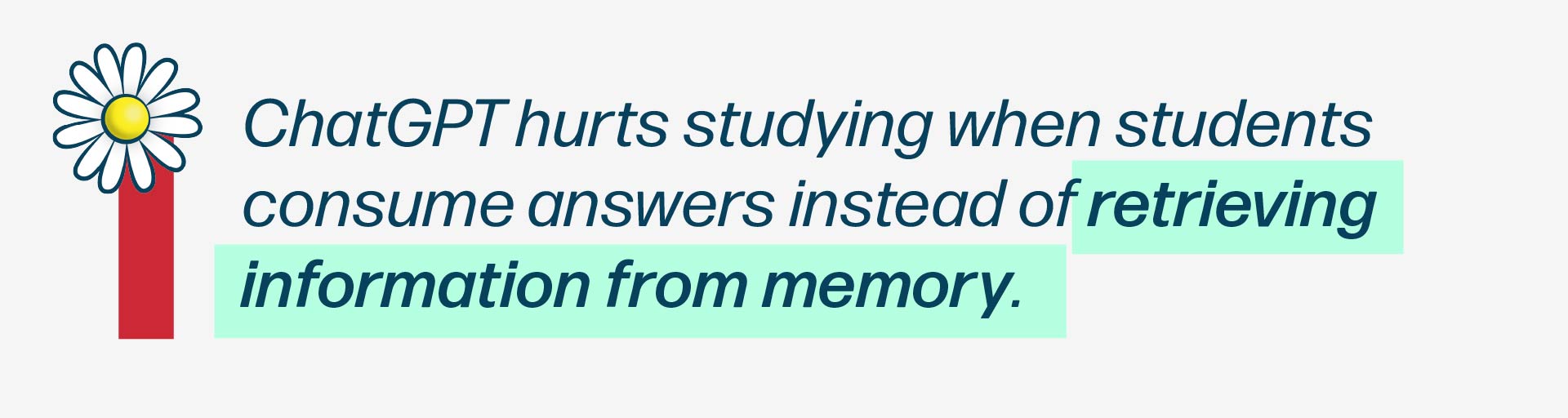
Research consistently shows that retrieval practice — actively pulling information from memory — leads to stronger and longer-lasting learning than rereading or summarizing
The Illusion of Competence
One reason ChatGPT feels so effective is that it creates an illusion of competence.
When explanations are clear and fluent, the brain mistakes familiarity for mastery. Students think, “This makes sense,” and assume they’ve learned it — until they’re asked to reproduce the information on an exam.
This illusion is well-documented in learning science. Ease of processing often correlates negatively with long-term retention.
ChatGPT amplifies this effect by removing friction:
- No pause to think
- No effortful recall
- No signal of what you don’t know
Why Copying Answers Hurts Learning
Copying AI-generated answers feels efficient, but it bypasses the very processes that strengthen memory.
When students skip:
- Attempting an answer first
- Making mistakes
- Reflecting on feedback
They also skip the neural reinforcement that makes knowledge stick. Studies show that effortful retrieval, even when imperfect, leads to better outcomes than passive exposure

A Simple Rule for Using ChatGPT Effectively
A useful rule of thumb for students is this:
- ChatGPT should ask you more questions than it answers.
If ChatGPT is doing most of the explaining, summarising, and answering, learning is likely shallow. If it’s prompting recall, challenging understanding, and revealing gaps, it’s being used correctly.
This mindset shift sets the stage for the next section: where we’ll break down how to use ChatGPT for studying the right way, with concrete prompts and workflows that turn AI into a learning tool instead of a shortcut.
How to Use ChatGPT for Studying (The Right Way)
Using ChatGPT effectively for studying isn’t about finding the “perfect prompt.” It’s about designing interactions that force you to think, recall, and reflect. When used correctly, ChatGPT becomes a tool that supports active learning instead of replacing it.
Below are three practical ways students can integrate ChatGPT into their study routine without falling into passive consumption.
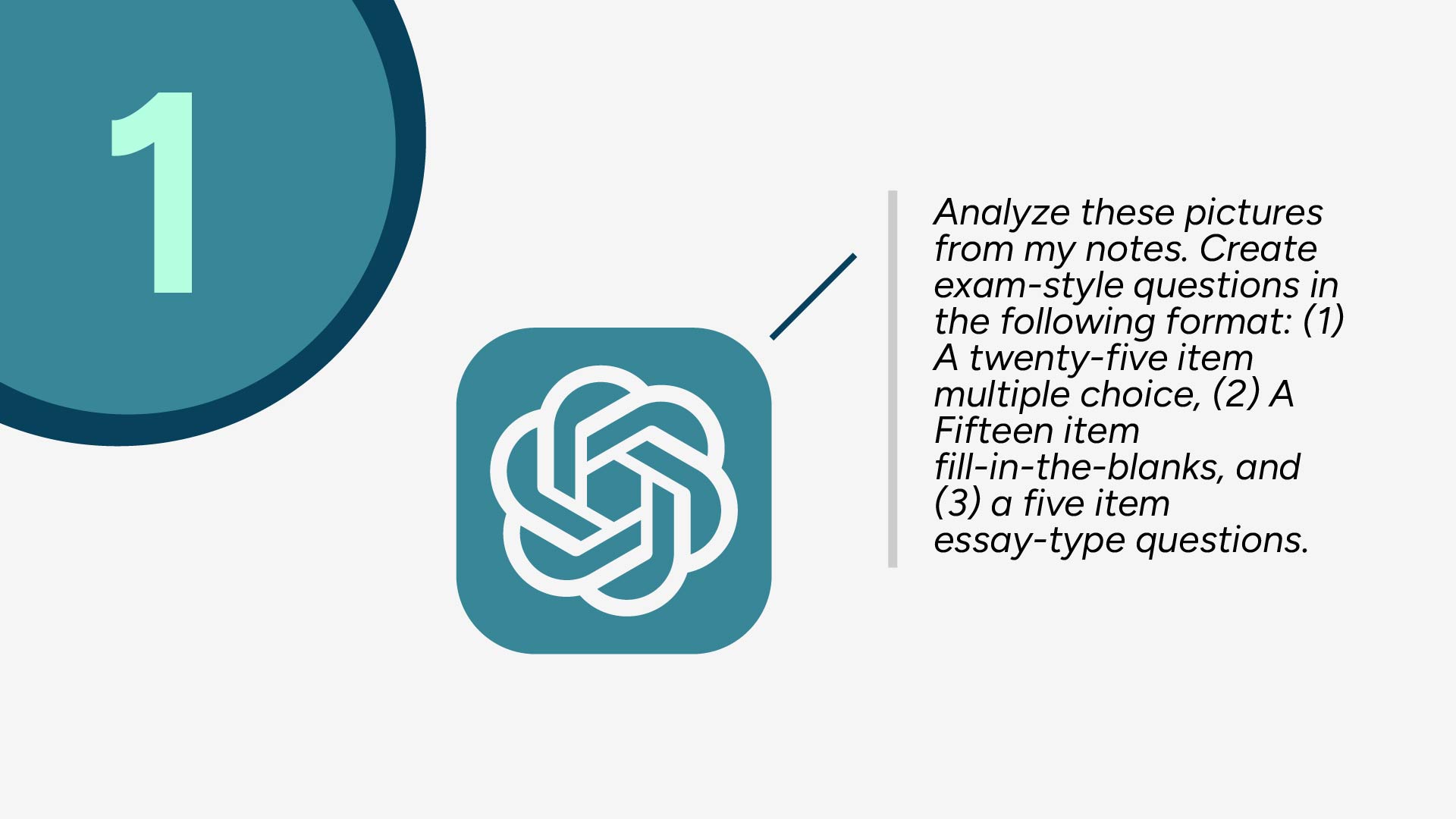
1. Prompting ChatGPT for Active Recall
One of the most effective ways to use ChatGPT is to turn it into a self-testing tool. Instead of asking for explanations upfront, students should prompt ChatGPT to quiz them.
For example, after a lecture or reading, students can ask ChatGPT to generate exam-style questions based on a topic and then attempt to answer them from memory before seeing feedback. This approach mirrors how learning is tested in real exams and aligns with what we know about retrieval practice.
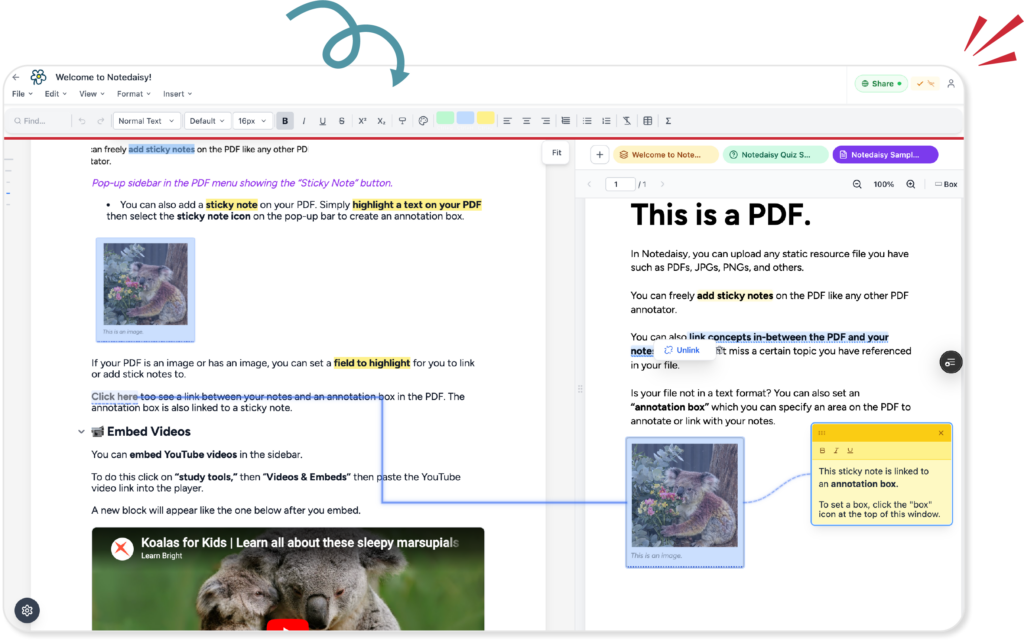
Some students pair this workflow with tools like Notedaisy by selecting their notes or PDFs and turning them into recall prompts or flashcards. Whether done manually or with AI assistance, the key idea is the same: notes should ask questions, not just store answers.
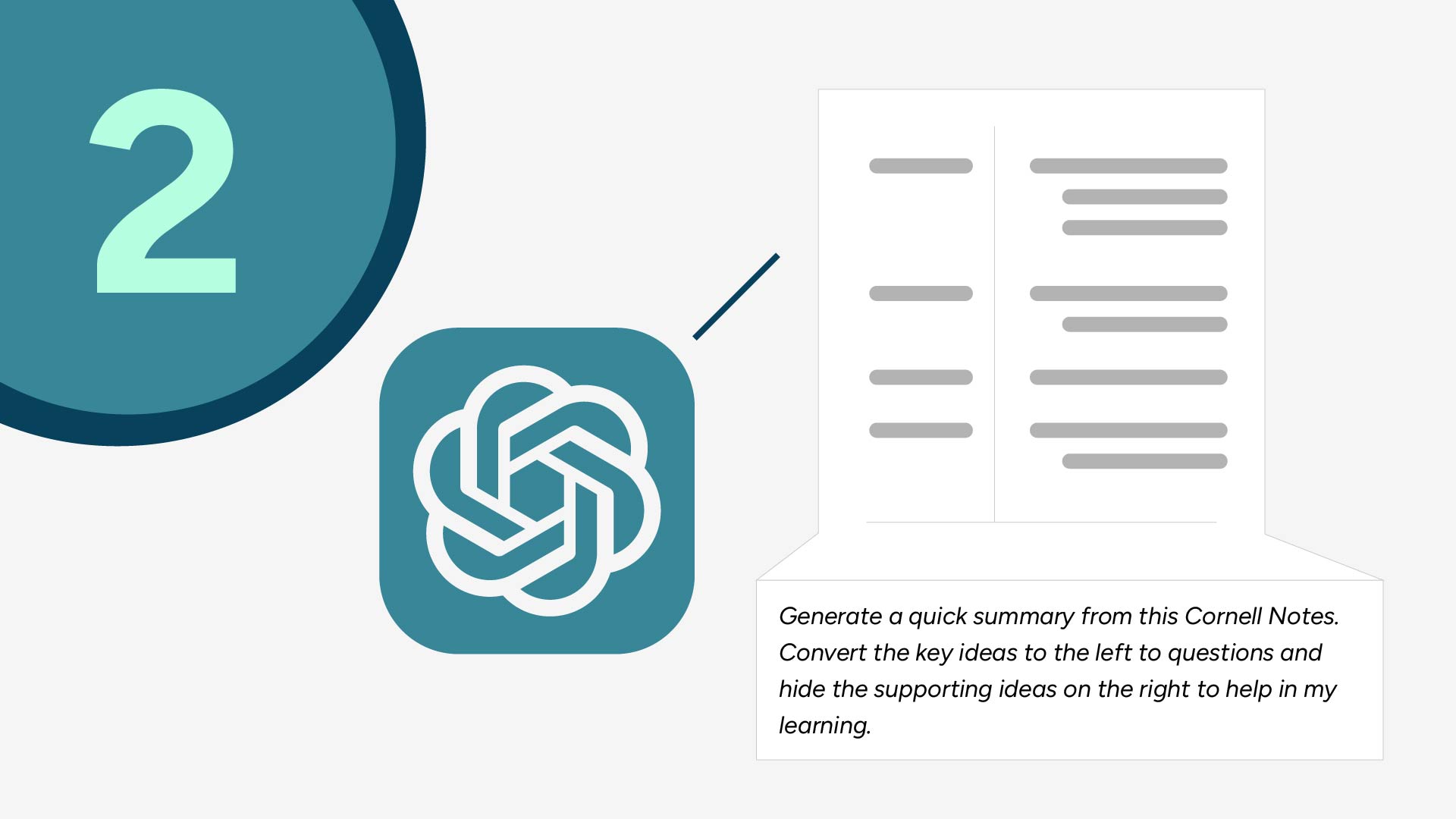
2. Using ChatGPT to Improve Your Notes (Not Replace Them)
ChatGPT can also be useful for improving the quality of notes after class — as long as it’s used as an editor, not an author.
Instead of letting ChatGPT generate full summaries from scratch, students can paste in their own notes and ask the AI to help restructure them. This might involve converting bullet points into questions, identifying key ideas, or highlighting relationships between concepts.
Some digital note-taking systems, such as Notedaisy, are designed around this idea. Features like an integrated Cornell-style layout or AI-assisted transformations allow students to turn raw notes into summaries or self-testing questions without losing ownership of the material. This keeps the learning process active while reducing friction.

3. Using ChatGPT for Exam Preparation
As exams approach, ChatGPT becomes most useful when it helps students identify gaps rather than reinforce what already feels familiar.
Students can use ChatGPT to generate mixed question sets, explain why certain answers are wrong, or simulate exam-style questioning. The goal isn’t to see correct answers immediately, but to attempt retrieval first and use feedback to adjust understanding.
Some students scale this process by using tools like Notedaisy to generate quizzes — including multiple choice, identification, or short-answer formats — from their notes or readings. This allows AI-generated material to live inside a structured review system instead of disappearing after a single chat session.
Across all three use cases, the pattern is consistent: ChatGPT is most effective when it increases thinking effort in the right places. When paired with structured notes and intentional review, it can significantly improve studying. When used as a shortcut, it simply makes poor study habits faster.
In the next section, we’ll look at how these pieces come together in a simple AI-powered study workflow — and where most students break the chain.

A Simple AI-Powered Study Workflow for Students
Knowing how to use ChatGPT is only half the equation. The bigger challenge for most students is consistency. Even good AI prompts don’t help if they’re used randomly, forgotten after one session, or disconnected from the rest of the study process.
What actually works is a repeatable workflow — one that integrates AI into studying without relying on it as the main driver.
A simple and effective AI-powered study workflow looks like this:
Step 1: Capture Notes During Class
The goal during lectures is speed and accuracy, not perfection. Students should focus on capturing key ideas, definitions, examples, and relationships using a structured format such as outlining or Cornell-style notes.
This stage is about input, not mastery.
Step 2: Use ChatGPT to Convert Notes into Recall Prompts
After class, ChatGPT can help transform raw notes into study-ready material. This includes:
- Turning headings into questions
- Generating practice problems
- Highlighting concepts worth testing
The critical point is that ChatGPT assists with conversion, not creation. Students still control the content and verify accuracy.
Step 3: Store Prompts in a System Designed for Retrieval
This is where many students break the chain.
ChatGPT sessions are temporary. Once the tab is closed, the prompts, questions, and insights often disappear (if you don’t have a ChatGPT account.) Without a place to store and revisit them, retrieval practice becomes inconsistent.
Students who succeed tend to move AI-generated prompts into a system built for recall — whether that’s flashcards, quizzes, or structured digital notes. Platforms like Notedaisy are designed specifically for this purpose, allowing students to turn AI-assisted outputs into reusable study material that supports long-term review.
Step 4: Review Using Spaced Recall
The final step is reviewing consistently over time. Instead of rereading notes before exams, students revisit recall prompts at spaced intervals, attempting to retrieve information from memory and adjusting based on feedback.
This step is what turns short-term understanding into long-term retention.
Why Execution Matters More Than AI Access
Most students already have access to ChatGPT. What they lack is a workflow that makes its output useful over time. Without structure, AI becomes another short-lived productivity tool rather than a learning system.
The students who benefit most from AI are not the ones with the best prompts — they’re the ones who integrate AI into a repeatable, recall-driven workflow.
In the next section, we’ll look at where ChatGPT alone falls short and why systems — not just tools — matter for scaling studying across multiple courses.
Where ChatGPT Falls Short (And Why Systems Matter)
ChatGPT is undeniably useful for studying, but it was never designed to function as a complete learning system. Many of the frustrations students experience with AI come not from the tool itself, but from the lack of structure around how its output is used.
Understanding these limitations helps clarify why systems matter just as much as AI access.
ChatGPT Sessions Are Temporary
One of ChatGPT’s biggest weaknesses for studying is its session-based nature. Prompts, explanations, and practice questions exist only within a conversation. Once that session is closed, students often lose track of what they generated, what they struggled with, and what needs review. Moreover, it’s limited only to what you input on it. Oftentimes, it will be difficult to use ChatGPT to analyse additional information outside of what you input to it.
From a learning science perspective, this breaks the loop required for spaced repetition and cumulative review, which are critical for long-term retention .
No Built-In Structure for Review or Progress
ChatGPT does not track:
- What concepts you’ve already practiced
- Which topics you consistently get wrong
- When you last reviewed a subject
Without structure, students are forced to rely on memory or ad-hoc notes, which often leads to cramming and inefficient study sessions. Research consistently shows that unstructured rereading and last-minute review are among the least effective study strategies .
Difficult to Scale Across Multiple Courses
Using ChatGPT for one subject can feel manageable. Using it across four or five courses quickly becomes chaotic.
Each class has different:
- Terminology
- Exam formats
- Depth of understanding required
Without a centralized system to organize AI-assisted outputs, students end up juggling screenshots, copied prompts, and scattered documents — increasing cognitive load rather than reducing it.

Contextual Example: Bridging the Gap With Systems with Notedaisy
This is where structured study platforms come into play. Some students use tools like Notedaisy to bridge the gap between AI assistance and long-term learning by:
- Centralized platform what you take notes and store learning resourced such as PDFs
- In-built ChatGPT feature which already knows your notes and resourced so you won’t miss a crucial detail.
- Converting notes and PDFs into flashcards and quizzes with AI
- Storing recall prompts for repeated review
- Organizing study material by course and topic
Rather than replacing ChatGPT, systems like this preserve its output and make it usable over time — especially when juggling multiple classes.
The Core Insight
ChatGPT is excellent at generating learning material.
It is not designed to manage learning over time.
Students who rely solely on ChatGPT often plateau, while those who pair AI with structured recall systems tend to see more consistent academic gains. The difference isn’t intelligence or effort — it’s execution.
Next, we’ll shift into practical AI study tips and best practices to help students avoid common pitfalls and get the most out of AI-assisted studying.
Final Takeaways: How Students Should (and Shouldn’t) Use ChatGPT for Studying
AI tools like ChatGPT are changing how students study — but they don’t magically fix poor learning habits. In practice, ChatGPT acts more like a multiplier than a solution. It amplifies whatever study system you already have, for better or worse.
Students who benefit most from ChatGPT tend to follow a few consistent principles:
1. Use ChatGPT With Active Learning — Not Passive Consumption
Reading AI-generated explanations feels productive, but learning happens when you retrieve, apply, and test your understanding. ChatGPT works best when it challenges you with questions, prompts you to explain concepts in your own words, or helps you identify gaps in your knowledge.
2. Don’t Use AI for First Exposure
Cognitive science suggests that learning sticks better when students first grapple with material themselves before seeking explanations . Use lectures, textbooks, or class notes as your foundation — then bring ChatGPT in to reinforce and test what you’ve learned.
3. Verify and Cross-Check AI Output
ChatGPT can be confidently wrong. Treat it like a study partner, not an authority. Cross-check facts with course materials, especially for technical or exam-critical topics.
4. Consistency Beats Intensity
Using AI once before exams rarely leads to lasting improvement. Students who see results use ChatGPT regularly as part of a structured workflow — converting notes into questions, revisiting weak areas, and reviewing over time.
The Bottom Line
ChatGPT won’t fix bad study habits — but paired with:
- Active recall
- Structured notes
- Spaced review
…it can become a powerful study accelerator.
The students getting better grades aren’t the ones using the most AI. They’re the ones using it intentionally, inside systems that support long-term learning rather than short-term answers.