Features that Help you Learn, not just Take Notes.

Notedaisy is more than a note-taking app — it’s your AI-powered study assistant, built for visual learners, students, and educators who want to truly understand what they’re learning.

Used by 500+ Students    |    Free to get started.  |  No credit card needed.

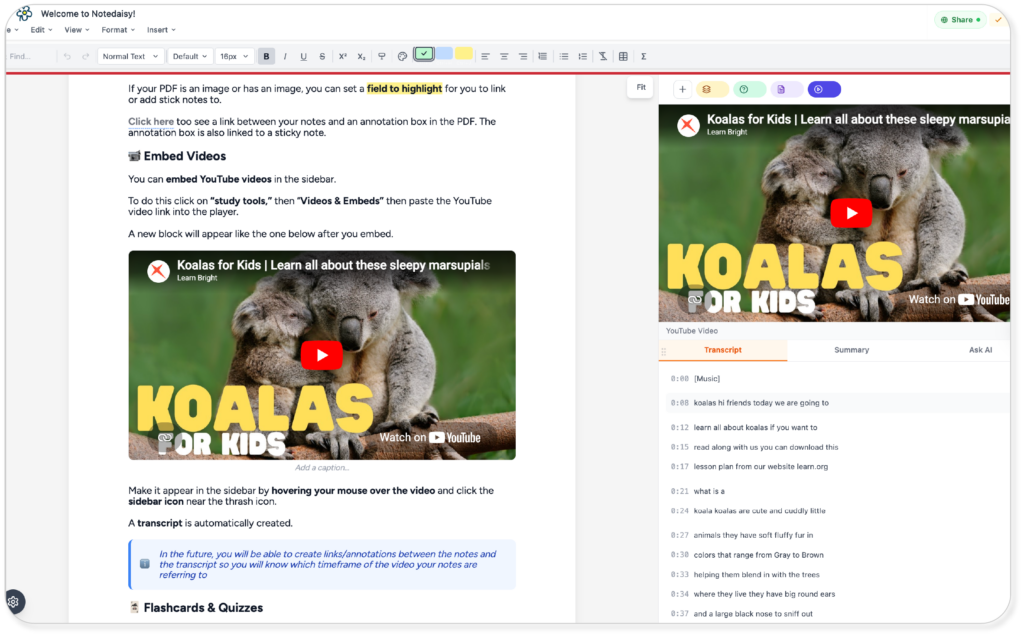
Notedaisy Note Editor

An App Built for Better Learning for Visual Learners.

Notedaisy is a visual note-taking app that helps students turn ideas into structured layouts, annotations, and organized notes with their videos, audios, and PDFs.

Upload & Annotate

Import PDFs or lecture slides beside your notes. 

Take Notes

Write on your notes and annotate between your resources materials (videos, audios, and PDFs.)

Generate

Create flashcards, quizzes, summaries, and others with AI or manually.

Study & Improve

Review, track progress, and remember more.
Notedaisy Note Editor

Traditional Page Editor

Skip half-baked notes from other study apps.

We value familiarity by employing a familiar layout from your favourite note editors such as Notion and Google Docs.

Type your notes with a Notion-style markdown function in a Google Docs format where you can freely format text to your liking.

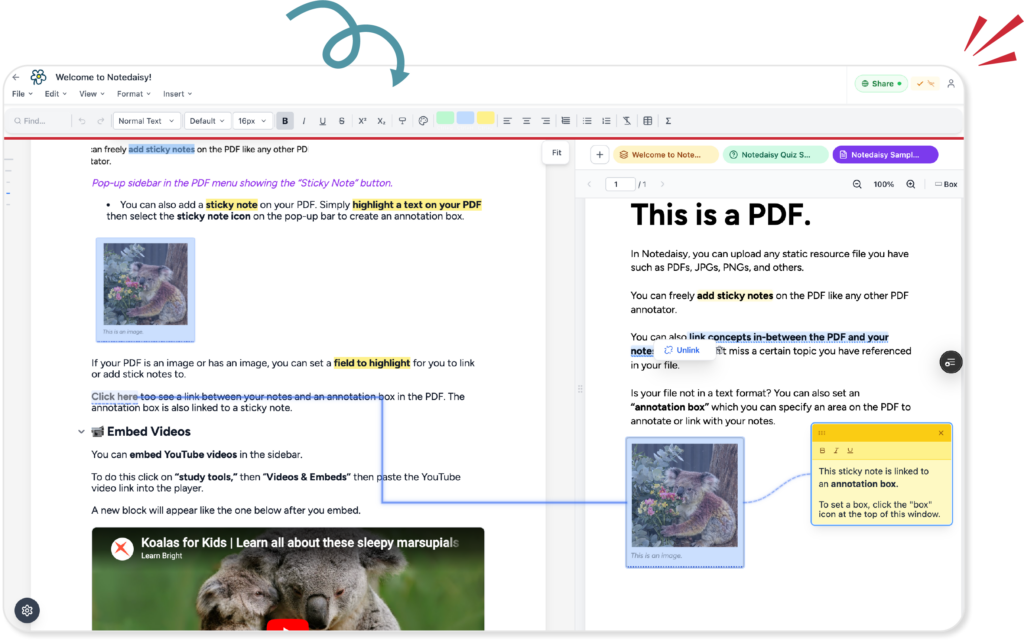
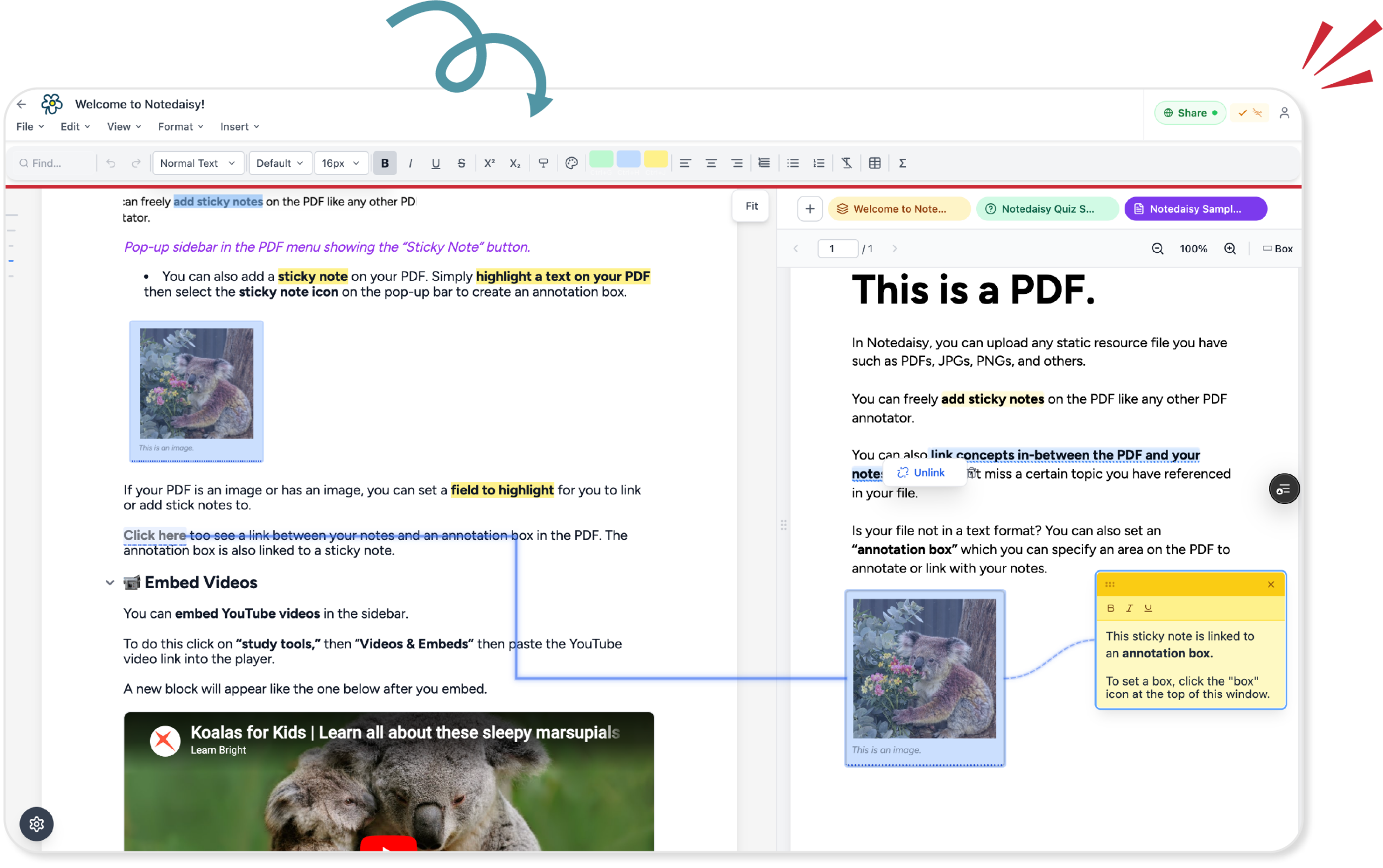
Notedaisy notes and PDF linking

Visually Annotate Between Resources

Your PDF viewer, videos, and audios shouldn’t exist in a different window.

Visually see the relationships between concepts from your notes to your PDF with our linking feature.

You can also link terms and concepts from your notes to AI generated transcripts form audios and videos.

Notedaisy User Interface Note Editor

No More Switching Tabs

Visual learners work best when all information is in one screen.

When concepts are linked together like a tidy diagram.

Notedaisy mimics this by integrating all your notes, videos, audios, and PDFs all in one platform which you can link and weave concepts all together.

AI Flashcard and Quiz Generator & Study Hub

Use Notedaisy as your AI note-taking tool to summarise lectures, organise ideas, and generate quizzes & flashcards effectively.

Connected to Your Notes

Flashcards are generated directly from your notes and PDFs, so every review stays in context.

Breakdown Content with AI

We break down and structure your content before generating, so you get cleaner cards and better concept separation.

Multiple Quiz Types

Create multiple choice, fill-in-the-blank, short answer, and essay questions in seconds. Our solution also enables fixing your mistakes.

Active Recall and Spaced Repetition

Study smarter with active recall and spaced repetition built in to help you retain more.

How to use Notedaisy's Flashcard & Quiz AI Feature

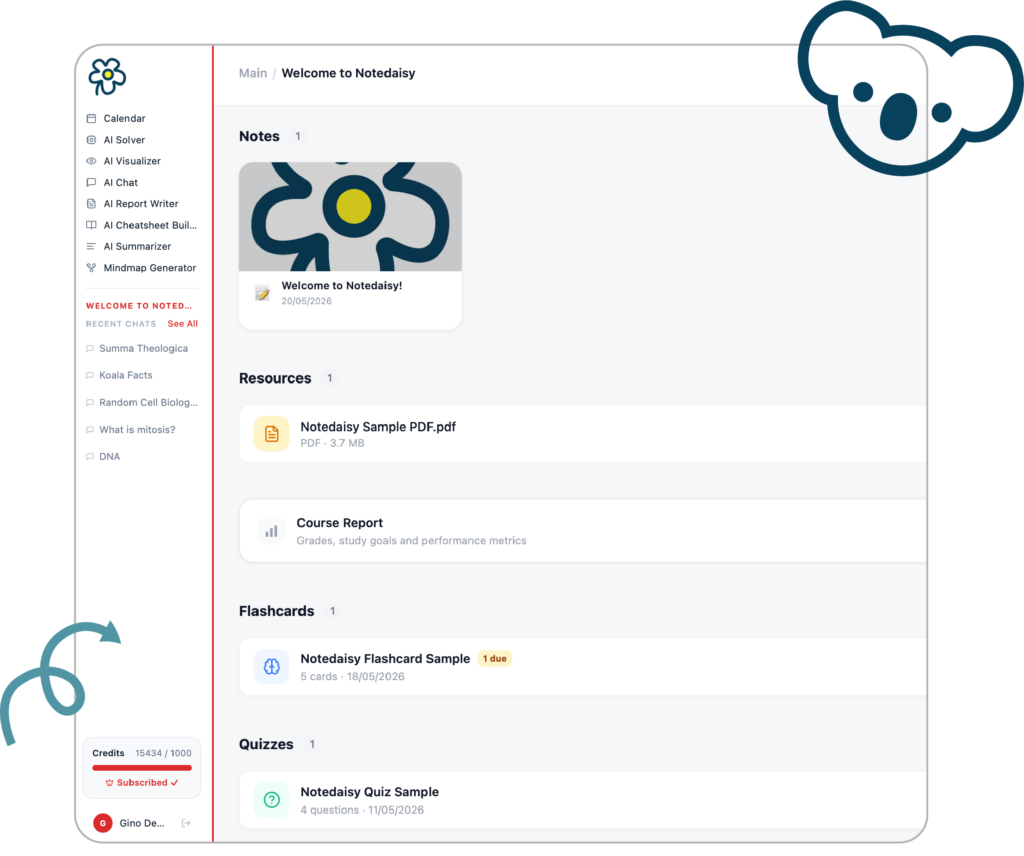
1

Upload Materials

Upload a PDF, images, videos, or audios in the main dashboard. 
 
We also highly recommend creating notes with our note editor. You can use these notes alongside your uploaded resources to generate flashcards or quizzes.

2

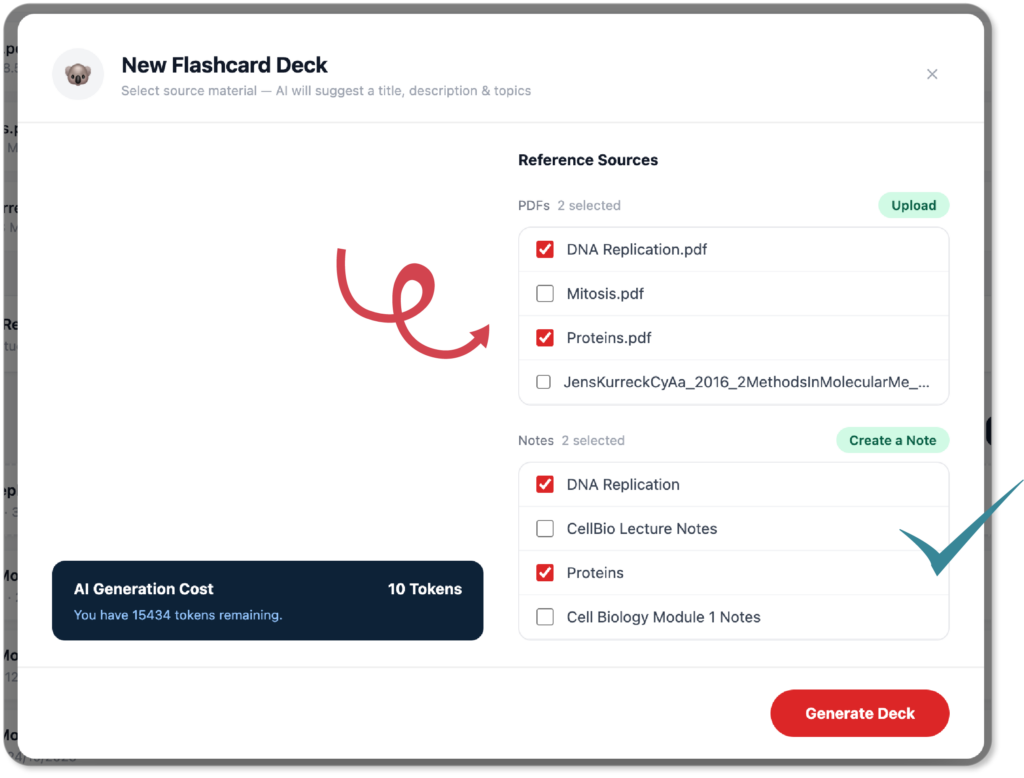
Select Source Materials

Select the resources and notes you want to include.
 
This ensures that all your study resources are context-dependent. All questions or cards are related to what you are actually studying. 
Notedaisy Flashcard Generator Prompt

3

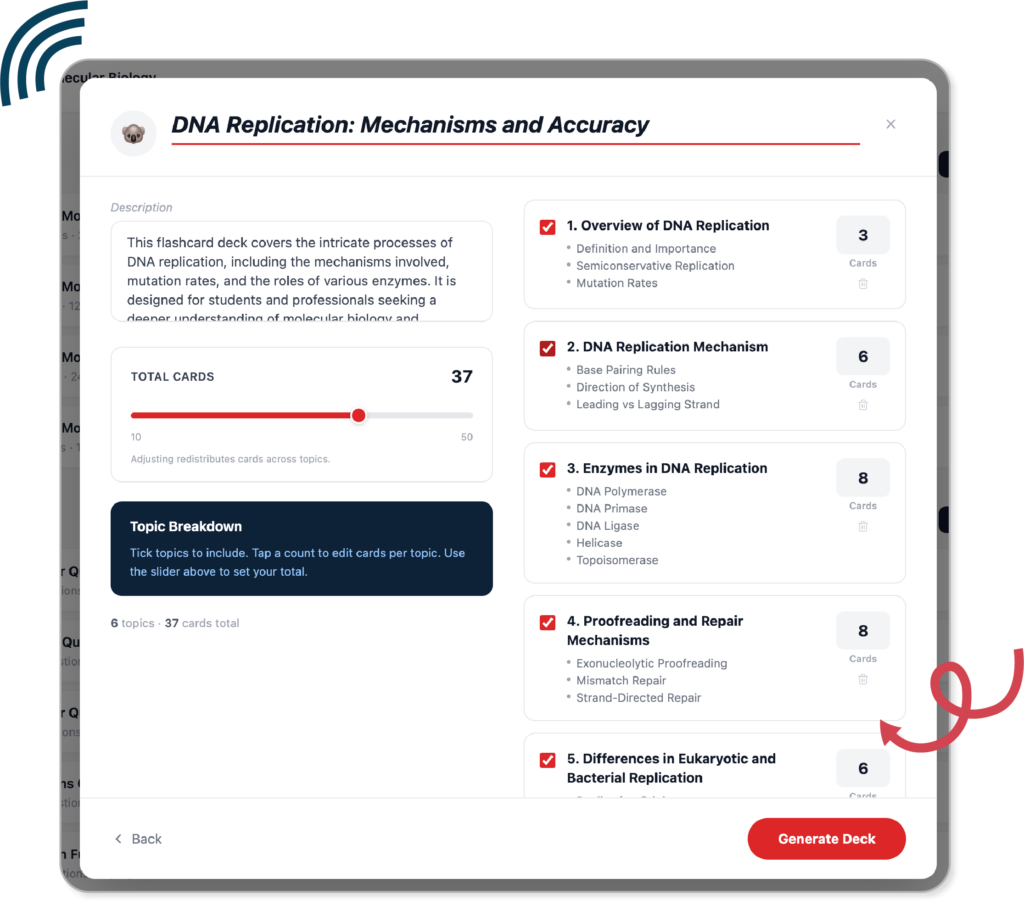
Pick Topics & Designate Card/Item Numbers.

AI dissects your notes and/or resources into different relevant topics.
 
You can designate how many cards or items each topic should have. You can also add additional topics to expand what your quiz/flashcard should cover.
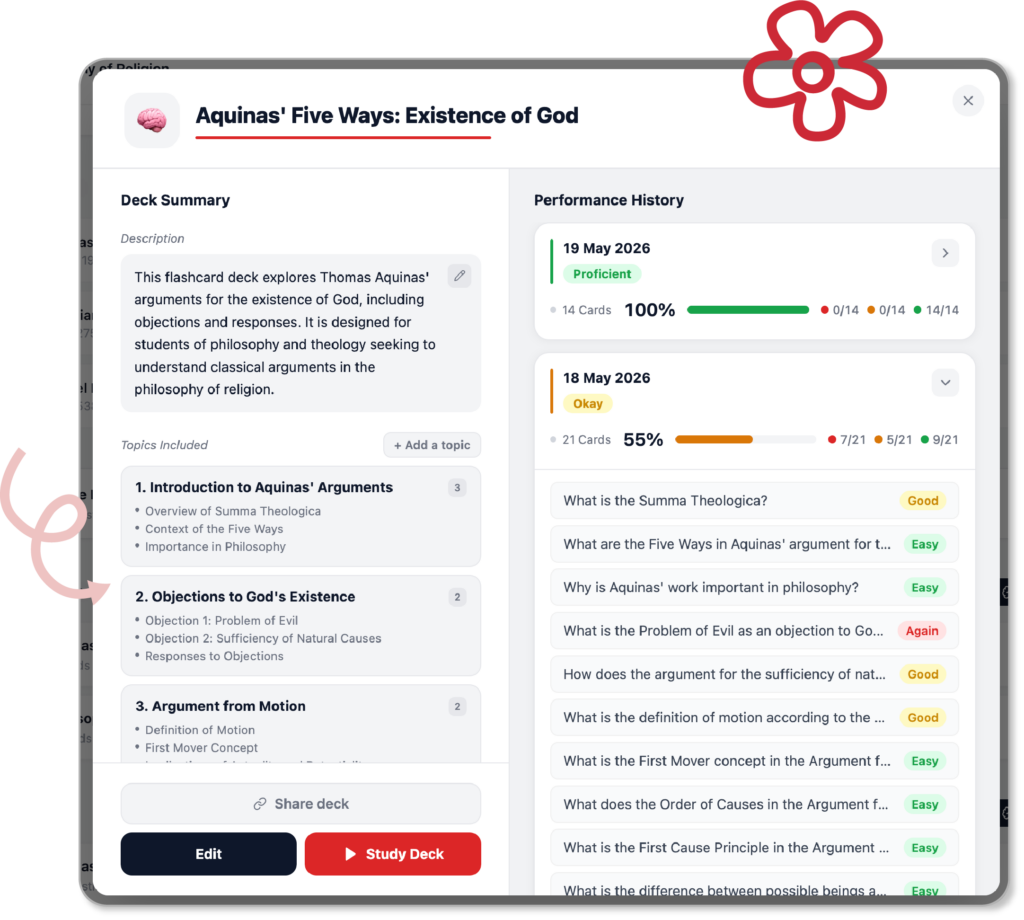
Notedaisy flashcard Feature

4

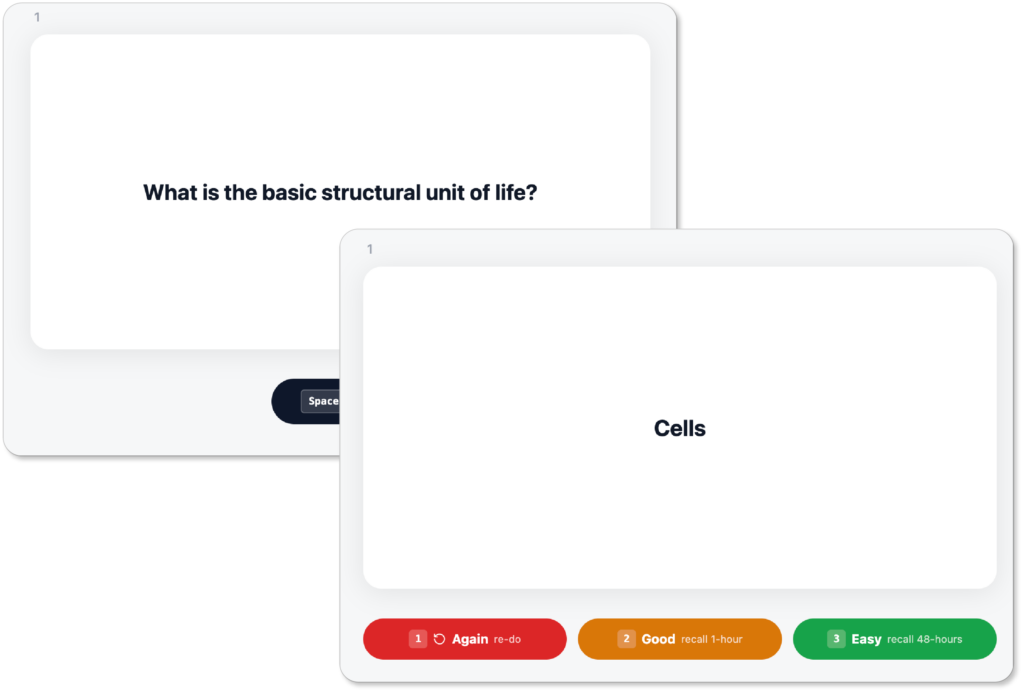
Test yourself from the cards/items generated.

You can access generated flashcards/quizzes from the main dashboard.
 
Test yourself by going through these resources. We ensure learning by employing active learning and spaced repetition in your workflow.

5

Track Performance and History.

You can manually add more cards/items on existing resources.
 
You can also add more topics with AI to generate more cards/items.
 
The platform also tracks each attempt. Find out which card/item you’ve been struggling in. See your improvement over time.

Built for All Kinds of Learners

Whether you’re a high school student, university learner, educator, or a self-taught curious mind, Notedaisy makes note-taking easier and more accessible than ever.
 
No distracitons.
 
No expensive tablet required.

Distraction-free & Learning-Centred Interface

Our user interface is specifically designed to keep you engaged in learning while you take notes.

Eliminate any distrations which you may face, our user interface is specifically designed to make learning fun and challenge your curiosity for you to master your lessons.

Accessible Web-Based Platform

Accessibility is at the core of our platform. We want to make digital note-taking be accessible for anyone who has any devices.

We don’t require you to purchase expensive tablets for digital note-taking. All you need is a laptop, desktop, or any tablet, a keyboard, and a web browser to start taking notes and learn.

Notedaisy Note Editor

Why Visual Learning Works

Studies show visual note-takers retain up to 65% more information. Notedaisy brings those visuals to life automatically with AI-supported charts, concept maps, and structured layouts that help you make meaningful connections — not just retype information.

Start Studying Smarter Today

Join hundreds of students who are already learning more effectively with Notedaisy.