Visual Note Editor for Students and Visual Learners
Notedaisy’s visual note-taking editor is built for learners who think in color, connection, and concept maps—not just lines of text. From multi-column layouts to mind maps and diagrams, you can capture complex ideas visually and study them more effectively.
Used by 500+ Students | Free to get started. | No credit card needed.
Visual note-taking is the practice of organizing information using diagrams, flowcharts, images, and structured layouts instead of just writing in linear bullet points. It’s proven to improve memory retention and understanding— especially for visual learners.
With Notedaisy, visual note-taking is built in by integrating your notes, videos, audios, and PDFs into one platform. You don’t need extra apps to connect concepts together. Just open the editor and connect ideas more effectively.
Notedaisy's Visual Note Editor in Action
Traditional Page Editor
Skip half-baked notes from other study apps.
We value familiarity by employing a familiar layout from your favourite note editors such as Notion and Google Docs.
Type your notes with a Notion-style markdown function in a Google Docs format where you can freely format text to your liking.
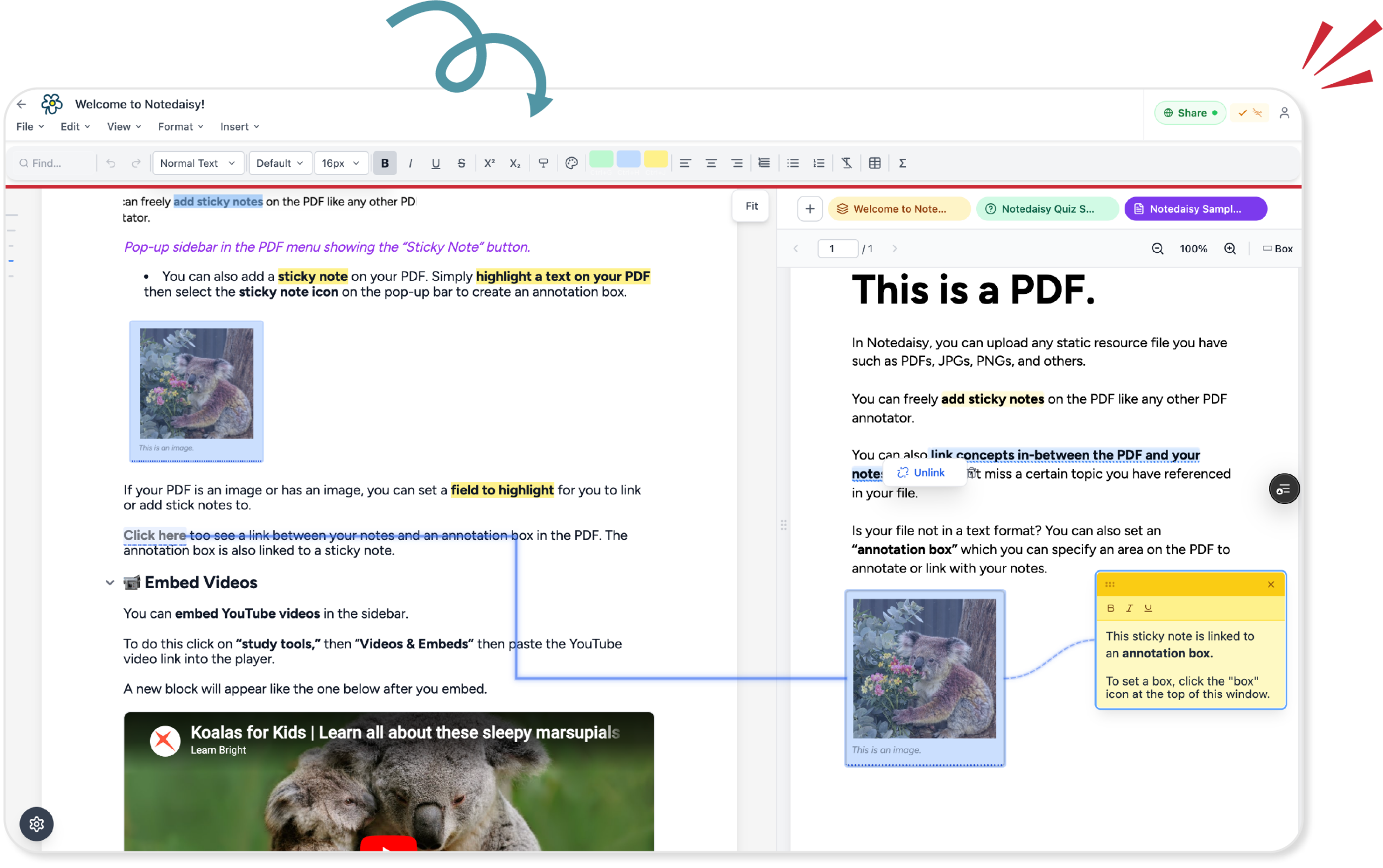
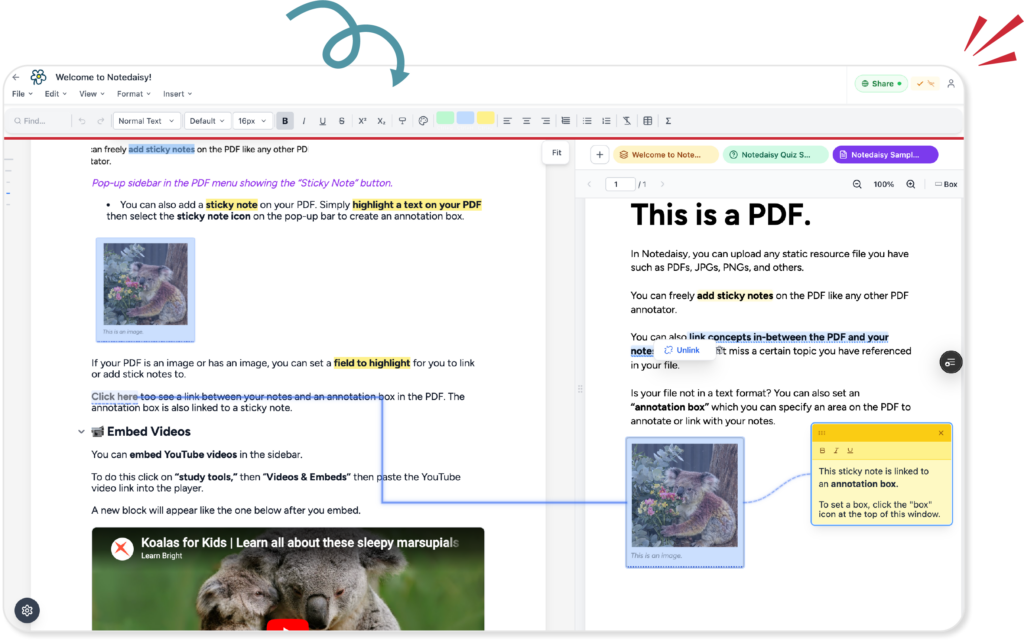
Visually Annotate Between Resources
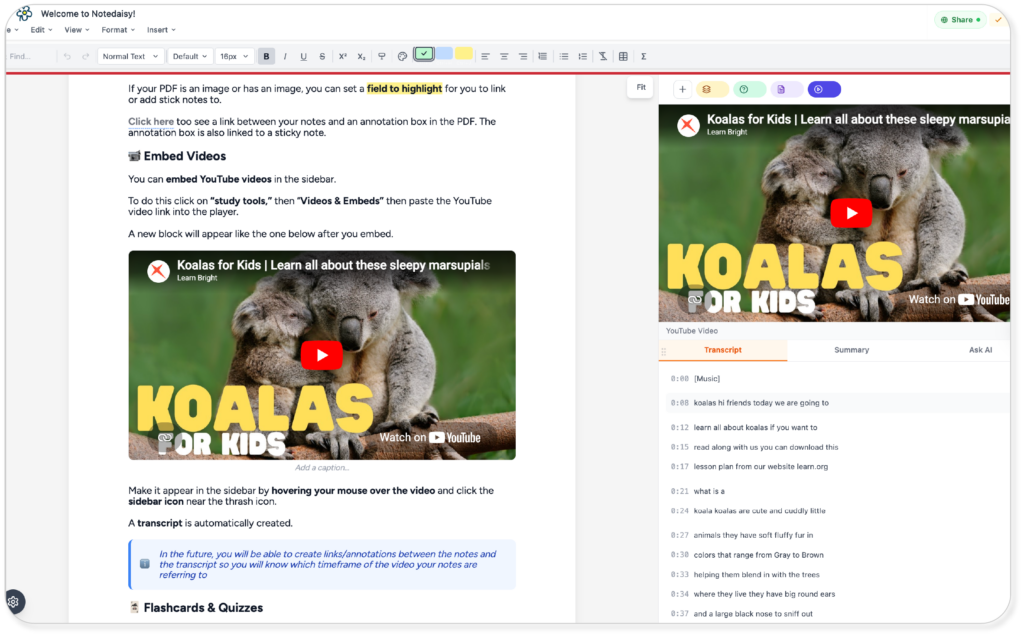
Your PDF viewer, videos, and audios shouldn’t exist in a different window.
Visually see the relationships between concepts from your notes to your PDF with our linking feature.
You can also link terms and concepts from your notes to AI generated transcripts form audios and videos.
No More Switching Tabs
Visual learners work best when all information is in one screen.
When concepts are linked together like a tidy diagram.
Notedaisy mimics this by integrating all your notes, videos, audios, and PDFs all in one platform which you can link and weave concepts all together.
Why Visual Learners Love It
If you’ve ever felt like walls of text don’t help you learn, you’re not alone. Over 60% of people are visual learners, and yet most note-taking tools are text-first.
Notedaisy flips that. With our visual note-taking app, you can:
Learn faster with illustrated concepts
See relationships between ideas, not just paragraphs
Use visuals to boost memory and clarity
Use Our Visual Note Editor
Join hundreds of students who are already learning more effectively with Notedaisy.